Artificial intelligence has been a feature of utility industry conversations for years – but it has often remained exactly that: a conversation. In 2026, that is changing. Microsoft’s Copilot AI, embedded directly into Dynamics 365 Field Service, Finance, and Asset Management, is putting practical AI capability into the hands of utility operations managers, field technicians, and finance analysts today.
This is not AI as a science project. It is AI as a daily productivity tool – helping a dispatch coordinator triage 80 incoming fault reports in minutes instead of hours, helping a maintenance planner predict which assets are most likely to fail before the next inspection cycle, and helping a finance analyst understand why this month’s maintenance costs are 15% above budget without running a single query.
This guide covers the practical Copilot capabilities available in Dynamics 365 for utility companies in 2026, and how Olix365 configures them for maximum operational value.
What This Guide Covers: Copilot AI use cases in Dynamics 365 Field Service, Asset Management, and Finance for utility companies from work order triage to predictive maintenance and financial anomaly detection.
How Microsoft Copilot Fits into the Utility ERP
Microsoft Copilot in Dynamics 365 is not a standalone AI product – it is an AI layer embedded within the operational modules your teams already use. It works by analysing the data already in your Dynamics 365 system (work orders, asset records, financial transactions, maintenance history) and providing intelligent assistance within the existing workflow. Key Copilot capabilities relevant to utilities are available in:
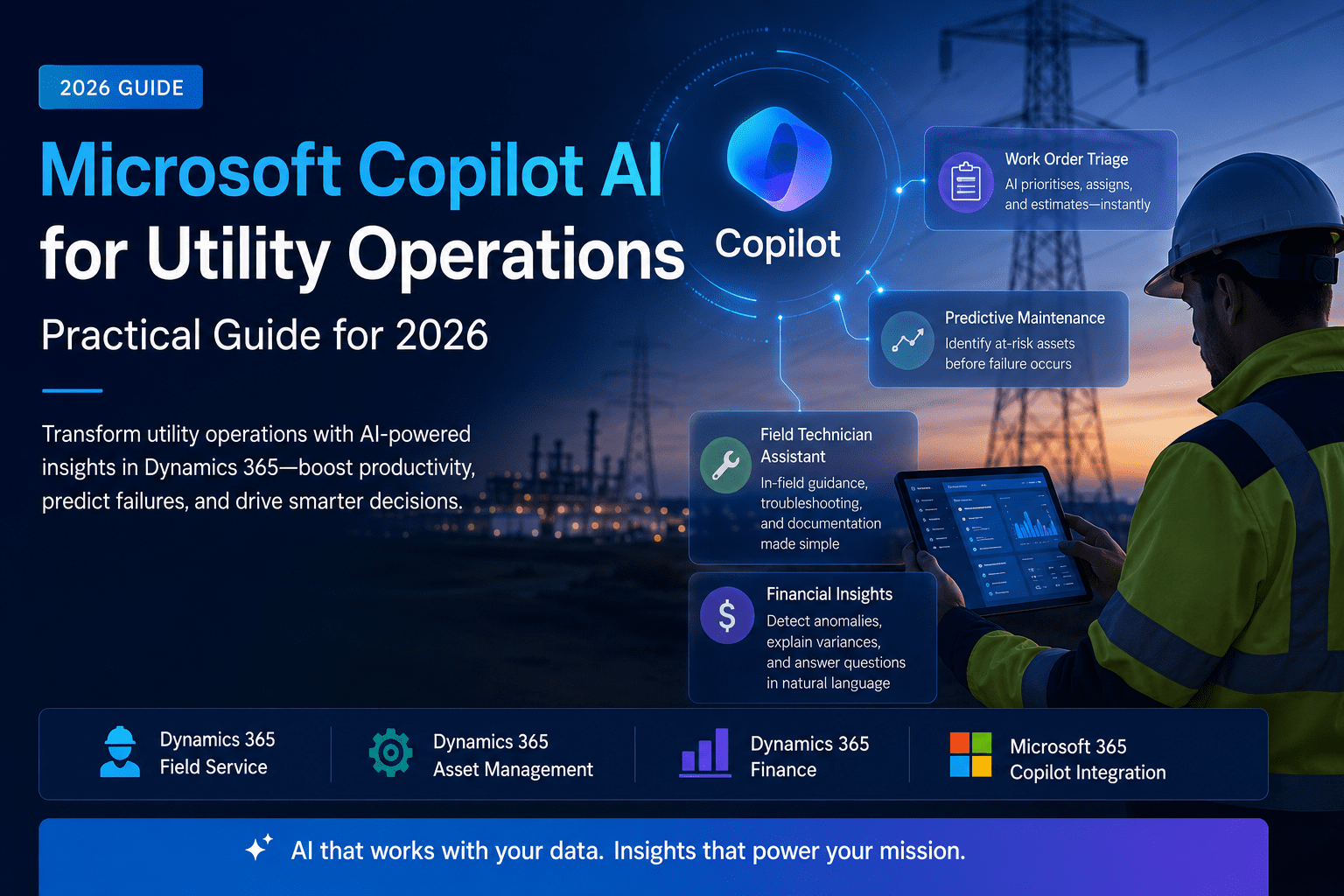
- Dynamics 365 Field Service Copilot: Work order summarisation, automated triaging, and technician next-best-action suggestions
- Dynamics 365 Finance Copilot: Financial anomaly detection, budget variance explanation, and natural language queries against financial data
- Dynamics 365 Asset Management (via Supply Chain Copilot): Maintenance recommendation, failure prediction based on historical patterns, and spare parts optimisation suggestions
- Microsoft 365 Copilot integration: Summarise Teams conversations about operational incidents, draft customer communications from work order context, and generate executive briefings from Power BI data

Use Case 1: Automated Work Order Triage
Dispatch coordinators in large utilities can receive dozens to hundreds of fault notifications per day. Historically, triaging these – assessing priority, assigning to the right crew, estimating duration – required experienced human judgment and consumed significant coordinator time.
Copilot in Field Service can now:
- Read incoming fault descriptions (from email, portal, or IoT alert) and propose a work order type and priority based on the fault description and asset history
- Suggest the three best-matched resources based on skills, location, and current availability
- Estimate job duration based on historical completion times for similar work on similar assets
- Flag safety precautions required based on the asset type and maintenance history (e.g., “Note: this transformer was last worked on 18 months ago – follow HV isolation procedure ref-7B”)
The coordinator reviews the Copilot suggestion and either accepts it with one click or adjusts it before confirming. This reduces triage time from minutes per work order to seconds, and reduces the risk of under-prioritising a critical fault.
Use Case 2: Predictive Maintenance Recommendations
Copilot in Dynamics 365 Asset Management analyses the maintenance history, sensor data, and operational patterns of your asset base to identify assets at elevated risk of failure before the next scheduled inspection. The system surfaces recommendations such as:
- “Pump Unit 4A at Pumping Station 7 has shown a 23% increase in vibration readings over the past 30 days. Similar pumps in your fleet failed within 60 days of reaching this reading. Recommend inspection within the next 14 days.”
- “Three of your five transformers at Northern Substation are approaching their 25-year statistical lifecycle. Based on your replacement programme schedule, consider bringing forward the procurement of replacement units to Q3.”
These recommendations appear in the Asset Management workspace as Copilot-generated maintenance advisories, which can be converted to work orders with a single click. The Asset Lifecycle Management guide on our site explains how the underlying data model supports this analysis.
Use Case 3: Field Technician Mobile Assistant
For field technicians, Copilot in the Dynamics 365 Field Service mobile app provides in-field assistance:
- Work order briefing: On arriving at site, the technician asks “What do I need to know about this asset?” Copilot summarises the last 5 maintenance activities, any open defects, the last inspection result, and any relevant safety notices.
- Troubleshooting guidance: If the technician encounters an unexpected fault symptom, they can describe it to Copilot, which searches the technical documentation and historical work orders on similar assets to suggest likely causes and remediation steps.
- Documentation assistance: After completing a job, Copilot drafts the work order completion notes based on the tasks completed and any observations the technician has recorded – reducing administrative burden for field staff.
This is particularly valuable for less experienced technicians who can access the institutional knowledge embedded in years of maintenance records through a simple conversational interface.
Use Case 4: Financial Anomaly Detection and Insight
For finance teams, Copilot in Dynamics 365 Finance provides:
- Variance explanation: When a cost centre is significantly over budget, Copilot automatically identifies the transactions driving the variance, the work orders they relate to, and whether similar patterns occurred in prior periods – surfacing the root cause in seconds rather than requiring a finance analyst to spend hours in the GL.
- Natural language queries: Finance managers can ask “What was our total maintenance contractor spend in Q1 compared to Q1 last year?” and receive an accurate, sourced answer without building a report.
- Anomaly alerts: Copilot monitors transaction patterns and flags unusual activity – a purchase order 40% above the typical rate for a category, or an invoice from an inactive vendor for human review before payment.
Use Case 5: Executive and Regulatory Reporting Summaries
Copilot integration with Power BI and Microsoft 365 enables utility executives to:
- Receive a daily AI-generated operational briefing summarising overnight field activity, outstanding emergency jobs, and SLA performance
- Ask natural language questions of their Power BI dashboards (“Which assets had the most reactive maintenance last quarter?”)
- Generate first drafts of regulatory reporting narratives based on the structured data in Dynamics 365
For regulatory submissions, where utility executives must provide narrative explanations for financial and operational performance data, Copilot can significantly reduce the time spent drafting boilerplate explanatory text.
Enabling Copilot in Dynamics 365 for Your Utility
Copilot features in Dynamics 365 are enabled at the administrator level:
- Navigate to System Administration → Feature Management and enable the Copilot features relevant to your modules.
- Ensure your Dynamics 365 environment is running the latest release (Copilot features are included in the 2025 Wave 2 and 2026 Wave 1 releases).
- Review and accept the Microsoft Responsible AI terms for your tenant.
- Configure which user roles have access to Copilot features – typically operations managers, dispatch coordinators, and finance analysts.
- Enable Copilot Studio for custom AI agents if your use cases require capabilities beyond the standard embedded Copilot features (see our guide on Copilot Studio and Dataverse for custom agent development).
Conclusion
Microsoft Copilot AI in Dynamics 365 is delivering practical, measurable productivity gains for utility companies in 2026. From automated work order triage to predictive maintenance recommendations and financial anomaly detection, AI is no longer a future aspiration for utilities – it is a present capability available in the platform they are already running.
Olix365 configures and activates Copilot features as part of every Dynamics 365 implementation. Contact us to see a live demonstration of Copilot capabilities in a utility context.
Frequently Asked Questions
Does using Microsoft Copilot in Dynamics 365 require an additional licence beyond the standard Dynamics 365 subscription?
Some Copilot features are included in standard Dynamics 365 licences (such as basic work order summarisation in Field Service). More advanced Copilot capabilities, particularly those involving Microsoft 365 Copilot integration and custom Copilot Studio agents, require a Microsoft 365 Copilot add-on licence. Olix365 will advise on the precise licence requirements based on the specific use cases your organisation wants to enable.
Is the data used by Copilot stored or used to train Microsoft's AI models?
No. Microsoft's enterprise Copilot services operate on your organisation's tenant data only. Your data is not used to train Microsoft's foundation models and is not shared with other organisations. Copilot accesses only the data your users have permission to see, enforcing the same security roles and row-level restrictions as the standard Dynamics 365 interface.
How accurate are Copilot's predictive maintenance recommendations?
Accuracy improves significantly with data quality and volume. Copilot's predictions are based on patterns in your historical maintenance data - the more maintenance history you have for each asset type, the more accurate the predictions. Olix365 typically sees meaningful predictive accuracy after 12–18 months of live operational data in the system. For new implementations, predictions improve as data accumulates.
Can Copilot understand utility-specific terminology and asset types?
Microsoft Copilot uses the data and terminology already in your Dynamics 365 system - if your asset types, fault descriptions, and maintenance job types are set up using industry-standard utility terminology, Copilot will use that same language in its suggestions and summaries. Olix365 configures the Dynamics 365 data model using utility-standard terminology as part of the implementation, so Copilot outputs reflect the language your teams actually use.
Can Copilot integrate with our SCADA system to include sensor data in maintenance recommendations?
Yes. Sensor data from SCADA systems can be ingested into Dynamics 365 via Azure IoT Hub, where it becomes part of the asset record's operational context. Copilot can then incorporate sensor readings (vibration, temperature, pressure, flow) alongside maintenance history when generating maintenance recommendations, significantly improving prediction accuracy for condition-based assets.