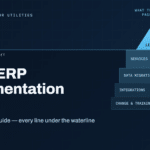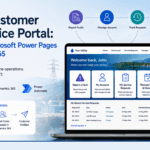

Utility companies operate under unique pressures – aging infrastructure, strict regulatory standards, and high customer service expectations. Implementing an ERP for utilities is a strategic way to unify operations from billing and asset maintenance to compliance reporting. In this guide, we explore how a focused utility ERP implementation coupled with expert ERP data migration services can set up utility organizations for success. We’ll cover why utility-specific ERP solutions matter, the challenges to overcome, and best practices to ensure a smooth transition without disrupting essential services.
Why Utility Companies Need Specialized ERP Solutions
Utilities aren’t like other businesses – they manage physical networks (electric grids, water pipelines), handle complex billing (tiered rates, usage metering), and answer to regulators and the public. A generic enterprise software might not cover needs such as meter data management or outage response tracking. This is why utility ERP software is often tailored with industry-specific modules. For example, leading utility ERP systems include features for handling complex tariff structures, tracking field service crews, and maintaining assets like transformers and pipelines . By using an ERP built for the utility industry, companies can centralize critical functions – billing, customer service, inventory, maintenance, and compliance – onto one platform. The result is greater visibility across departments and more informed decision-making.
Importantly, an ERP for utilities can break down data silos. Many utilities still use separate legacy systems for customer billing, outage management, and asset tracking. This fragmentation makes it hard to get a “single source of truth.” A modern utility ERP system integrates these processes. For instance, field maintenance updates can automatically flow into customer service records, so a call center knows if a crew is already fixing an outage. Similarly, inventory levels for spare parts update in real time as work orders are completed. By unifying data, an ERP helps utility providers respond faster and operate more efficiently while ensuring nothing falls through the cracks.
Planning a Successful Utility ERP Implementation
Implementing an ERP for utility companies requires thorough planning and alignment with business goals. It’s not just an IT project – it’s an organization-wide change. Start by defining clear objectives for the ERP implementation (e.g. improving outage response times, reducing manual paperwork, or enhancing regulatory compliance reporting). Engage stakeholders from all key departments early. Getting input from finance, operations, customer service, and IT will ensure the system is configured to support each unit’s workflows. Additionally, secure executive sponsorship to provide direction and resources throughout the project. Strong leadership buy-in helps prevent scope creep and keeps the team focused on the end goals .
1. Assess current systems and data: Take inventory of existing software applications and databases in use – billing systems, GIS mapping tools, maintenance management apps, etc. Determine which will be replaced by the new ERP and which may need integration. Just as critically, assess the quality and structure of your current data. Are customer records complete and accurate? Do asset lists have consistent naming conventions? Early assessment will highlight data cleansing needs before migration.
2. Define utility-specific requirements: A successful utility ERP implementation tailors the system to industry needs. This might include configuring modules for energy generation tracking, regulatory compliance reports (for bodies like state public utility commissions), or integrating with smart metering systems. Clearly document all required customizations or extensions. For example, if the utility must track carbon emission data or renewable energy credits, ensure the ERP can capture and report these details. It’s wise to choose an implementation partner or vendor with experience in the utility sector, since they’ll understand nuances like safety regulations and reporting mandates that generic vendors might overlook.
3. Phased rollout: Consider whether to deploy the ERP all at once or in phases. Utilities often cannot afford extended downtime. A phased implementation (for instance, rolling out finance and procurement modules first, then maintenance and customer service modules) can reduce risk and allow training in manageable stages. On the other hand, a big bang approach (switching all functions to the ERP at once) might shorten the overall project timeline but requires intense preparation and contingency planning. Evaluate what approach best fits your utility’s capacity to absorb change. In either case, create a detailed timeline with milestones for design, development, testing, data migration, training, and go-live.
4. User training and change management: Even the best ERP system fails if people don’t use it correctly. Plan a comprehensive training program for end-users across departments. Use a mix of training methods – hands-on workshops, documentation, and maybe “power users” or champions in each team to support their colleagues. Communicate early and often about how the new ERP software for utilities will benefit staff in their daily jobs (for example, automating monthly report generation or simplifying work order scheduling). Managing the human side of ERP deployment is critical to achieving the productivity improvements you expect.
Challenges in ERP Implementation for Utilities

Implementing an ERP system in a utility environment comes with challenges that must be proactively managed. One major hurdle is integrating with legacy technology. Many utilities have decade-old billing systems or SCADA (supervisory control and data acquisition) systems for network monitoring. Replacing or interfacing these with a new ERP can be complex. It often requires custom integration middleware or APIs to ensure data flows smoothly between systems. Another challenge is maintaining service continuity – unlike some industries, utilities can’t easily pause operations for a system switchover. Customers expect lights on and water flowing 24/7, so any ERP cutover must be meticulously planned to avoid disrupting billing cycles or field response.
Data security and privacy are also paramount. Utility companies handle sensitive customer information and critical infrastructure data. Transitioning to a new centralized system raises concerns about cyber security and data protection. Implementation teams should work closely with security experts to ensure the ERP is configured with proper access controls, encryption, and audit trails. Many modern ERPs offer role-based security and compliance features out-of-the-box, which is a plus for regulated utilities. Still, the project must include rigorous security testing.
Regulatory compliance adds another layer of complexity. Utilities are subject to extensive regulations (for example, reporting to energy commissions, environmental regulations, and financial audits). An ERP implementation must preserve compliance – all required reports and data must be readily available and accurate in the new system from day one. This can mean mapping legacy regulatory reports to new formats in the ERP and double-checking that no data is lost or misclassified during migration.
Finally, one of the biggest challenges in ERP for utilities projects is scope and budget control. ERP implementations are notorious for cost overruns and delays. In fact, research shows that as many as 7 out of 10 ERP projects fail to achieve their goals, according to a Gartner analysis . Key reasons include underestimated complexity, data issues, and inadequate user adoption. Utilities, in particular, face “unprecedented complexity” in ERP data migrations with many stakeholders and strict regulations . To avoid becoming part of these statistics, it’s crucial to have strong project governance. This includes clear scope definition, experienced project managers, and frequent status reviews to catch issues early. It also reinforces why having a partner experienced in utility ERP projects is so important – they can foresee common pitfalls and guide the team around them.
The Critical Role of Data Migration in Utility ERP Projects
One cannot overstate the importance of data migration in an ERP implementation. Migrating legacy data to the new system is often the most time-consuming and high-stakes part of the project. For utility companies, consider the volume and historical depth of data involved: customer accounts and billing history, meter readings, infrastructure asset records, maintenance logs, regulatory records, and more. This data is the lifeblood of daily operations. If it’s not accurately moved into the new ERP, the outcome can be billing errors, operational delays, and even compliance violations.
Data migration is frequently cited as a key factor in ERP project failures . In legacy utility environments, data may reside in disparate silos – perhaps billing data in one database, work orders in another, and spreadsheets tracking equipment maintenance. There may also be decades of historical data, much of it poor quality or inconsistent (e.g., duplicate customer entries, outdated asset IDs). Simply transferring data “as-is” to the new ERP is risky. The data must be cleansed, validated, and mapped to the ERP’s structure beforehand. For example, if your legacy system had separate fields for “Customer Name” and “Service Address” but the new system combines them, you need to map and possibly transform that data to fit the new format.
A well-planned data migration ensures that on go-live day, the ERP has clean, usable data that staff can trust. It’s worth investing significant effort here: cleaning up data, reconciling records, and deciding what historical data to bring over versus archive. Many utilities use the opportunity to purge obsolete records (for instance, service accounts that have been inactive for 15+ years) to reduce clutter. Data governance is also important – establish who is responsible for data quality and decision-making on issues (like how to handle missing fields or inconsistent codes).
Testing the migration is critical before the final cutover. This usually involves trial runs where a subset of data or full copies are migrated into a test instance of the ERP. Business users should then verify that reports match between old and new systems and that no critical information is missing. Multiple test cycles might be needed to iron out issues. It’s far better to catch a mapping error during testing than after the system is live.
Best Practices for ERP Data Migration Services
Data migration can be daunting, which is why many organizations turn to specialized ERP data migration services. Whether handled by an internal team or external experts, following best practices and a structured approach is essential. Here are key steps and best practices for migrating data to a new utility ERP:
- Assessment & Planning: Begin with a detailed migration plan. Identify all data sources (databases, legacy applications, spreadsheets) that need to be consolidated . Define the scope of data to migrate – for example, all active customer accounts and the past two years of transactional data might be migrated, while older records could be archived separately. Set clear objectives and a timeline for the migration process.
- Data Profiling and Cleansing: Thoroughly profile your data to uncover quality issues. This involves checking for duplicates, inconsistent formats (e.g., “NY” vs “New York” in state fields), missing values, or outdated entries. Cleanse the data before migration – standardize codes and formats, correct errors, and enrich where necessary. For utilities, ensure customer records are accurate, meter IDs match the correct locations, and asset registers are up-to-date. This step is critical because poor data quality is a common cause of ERP issues . If needed, involve departments to verify and update records (for instance, have field operations confirm if equipment listed in the old database is still in service).
- Data Mapping & Transformation: Work closely with the ERP implementation team to map each data field from the old system to its new ERP field or table . This is a technical step that often uncovers mismatches that must be resolved. For example, the legacy system might have allowed free-form text for work order status, whereas the new ERP has a fixed set of status codes – you’ll need to decide how to translate the old entries. Create transformation rules for any needed conversions (such as units of measure, date formats, account numbering schemes). It’s wise to document all mappings and transformations in a data mapping workbook for reference and audit purposes.
- Migration Execution (Extract, Transform, Load): With mappings defined and data cleansed, proceed to extract data from legacy systems. Use migration tools or scripts to transform the data into the target structure and then load it into the new ERP. It’s best to do this in a controlled, stepwise fashion. Many projects migrate data module by module or by data type (master data first, then transactional data). During this step, closely monitor for errors or any records that fail to load, so you can address issues immediately . For example, if certain records are rejected due to validation rules in the ERP (say a required field is missing), have a process to fix those and re-load. It’s also prudent to migrate during off-peak hours or a planned outage window, especially if you need to pause certain operations.
- Testing & Validation: After migration, perform thorough validation. Reconcile the data – run reports in the new ERP and compare them to the old system to ensure totals match (e.g., total number of customers, account balances, inventory counts). Have end-users from each department do spot checks on the data they know best: customer service can verify a few customer accounts, finance can check general ledger balances, operations can ensure work orders are all present. This step is essentially a user acceptance test focusing on data integrity . Any discrepancies must be investigated: was the source data incomplete or did the migration process mis-handle something?
- Cutover & Post-Migration Support: Once testing gives the green light, plan the final cutover. This is when you freeze changes on legacy systems, do a last extraction of data, and load into the production ERP for go-live. After go-live, it’s wise to have heightened support available. Your migration and implementation team should be on standby to quickly resolve any data-related issues that surface. For instance, if a batch of service orders didn’t migrate correctly and technicians can’t see their work assignments, the team should jump on that immediately. Post-migration support usually involves closely monitoring system outputs (like billing runs, financial postings) for the first few cycles and comparing results to expected values. This ensures the ERP for utility operations is running smoothly with accurate data in real conditions.
Following these best practices can significantly reduce the risks associated with data migration. Many successful utility ERP projects credit a rigorous focus on data from the start as a key to their smooth go-live. In other words, clean data = successful ERP. By investing in professional data migration services or tools, utility companies can save themselves from headaches down the line and avoid costly rework.
Choosing the Right Implementation Partner for Utilities
ERP projects are complex, and as we’ve highlighted, the stakes in the utility sector are especially high. Choosing the right implementation partner or service provider can make a world of difference. A good partner brings not only technical ERP expertise but also domain knowledge in utilities. They will understand industry best practices and regulatory requirements, which helps in configuring the system correctly. For example, an experienced partner will know that an electric utility needs functionality for outage management and might suggest integrations with a geographic information system (GIS) for mapping outages. They can tailor the ERP to handle such needs without over-customizing.
Additionally, a capable partner will have a robust methodology for both implementation and data migration. Look for those who emphasize upfront data assessment and have proven frameworks to migrate utility data safely. For instance, Olix365’s utility-focused data migration framework provides a structured approach to legacy data transition, minimizing downtime and preserving data integrity during ERP cutover . Providers that offer such specialized frameworks or tools show that they recognize the unique data challenges in utilities.
It’s also worth evaluating partner experience through case studies or references. How many utility ERP projects have they done? Can they point to successful deployments at municipal water companies, energy cooperatives, or other similar organizations? Speaking to past clients (or reading testimonials) can reveal how the partner handles challenges like change management and post-go-live support.
Cost is a consideration, of course, but value is more important than the day-one price. A slightly more expensive team that prevents a failed implementation or lengthy delay is worth the investment when you consider that 55–75% of ERP projects fail to meet objectives overall . The right partner helps ensure your project falls in the successful minority. They will assist in realistic budgeting and scheduling, so there are fewer surprises mid-project.
Finally, look for a partner that is committed to knowledge transfer. After implementation, your internal team should be capable of running and maintaining the system. A good implementation service includes training your IT staff and power users, providing documentation, and being available for support questions as you transition to self-sufficiency. In the utility context, where systems often run for decades, building an in-house competency around the new ERP is very valuable.
Conclusion
Implementing an ERP for utility companies is a significant undertaking, but with careful planning and the right expertise, it can dramatically improve how a utility operates. A successful utility ERP implementation means streamlined workflows (from customer service requests to field repairs) and unified data that drives better decision-making. Equally important in this journey is the role of data migration services – ensuring all critical legacy data is accurately carried into the new system so that the utility can hit the ground running on day one of ERP go-live.
Utility organizations that invest time and effort into cleaning their data, training their people, and partnering with experienced ERP professionals tend to see the best outcomes. They achieve more efficient operations, improved compliance reporting, and greater agility in responding to industry changes. In an era where utilities must do more with less (and often modernize to smarter grids and digital services), an industry-specific ERP is a foundational tool for success.
For readers considering this path, remember that ERP success is not just about software features – it’s about implementation strategy and data excellence. Take the lessons learned from others: prioritize data quality, involve your stakeholders, and don’t go it alone if internal expertise is limited. With these principles in mind, your utility can avoid common pitfalls and fully realize the benefits of a modern ERP solution.
How long does a typical utility ERP implementation take?
Most utility ERP implementations take between 6 to 18 months, depending on the number of modules, customization needs, and data migration complexity. A phased rollout approach can help reduce risk and ensure smoother adoption.
Why is data migration so important in utility ERP projects?
Utilities rely on decades of historical, operational, and customer data. Without clean and accurate migration, billing errors, service delays, or regulatory issues may arise post-implementation. That’s why a structured migration plan is non-negotiable.
Can ERP systems integrate with existing SCADA or GIS tools used by utilities?
Yes, modern ERP solutions can integrate with SCADA, GIS, and other legacy tools using APIs or middleware. This helps unify data flow and enables real-time visibility across field operations and control systems.
What are the top challenges utility companies face during ERP implementation?
The biggest challenges include integrating legacy systems, maintaining service continuity, managing data quality, and ensuring user adoption. Partnering with an experienced vendor reduces the risks and ensures the ERP aligns with utility-specific workflows.