For years, utility organizations ran on disconnected systems, manual reports, and reactive decision cycles. Finance teams waited days for budget variance numbers. Field service managers juggled phone calls to track job status. Operations leaders made capital decisions based on last month’s data.
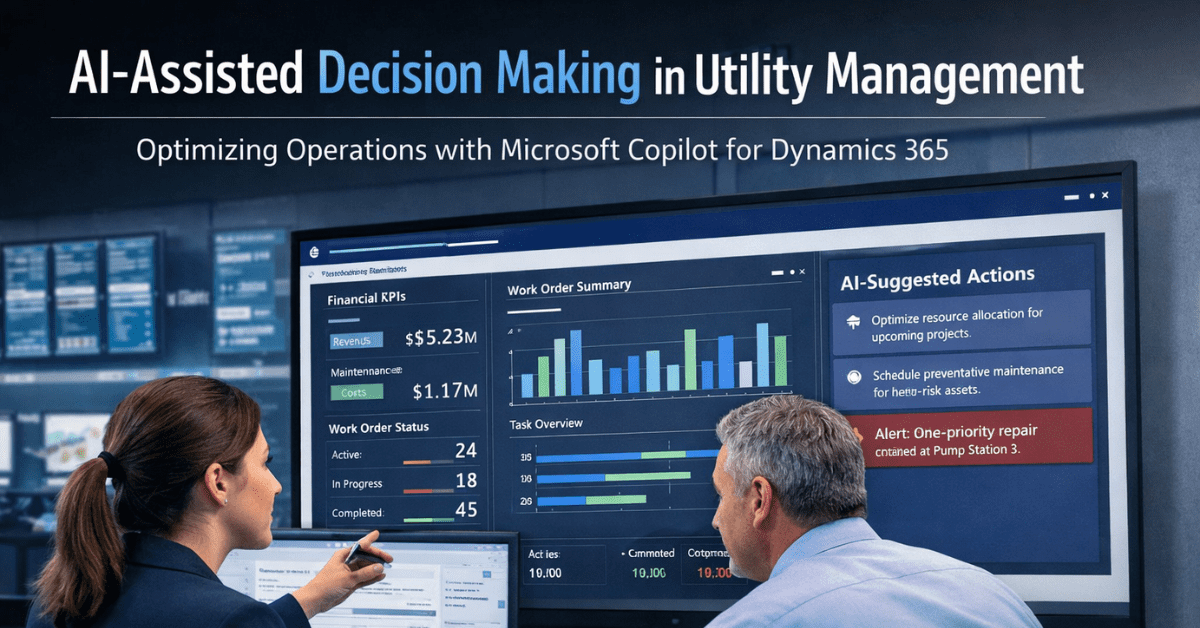
Microsoft Copilot for Dynamics 365 changes that approach. It brings AI assistance directly into the finance, field service, and operations workflows your teams already use every day. However, this is not just a productivity feature. For utility CFOs, COOs, and operations managers, it is a meaningful shift in how decisions get made and how fast.
This article explains what Microsoft Copilot for Dynamics 365 actually does for utility organizations, which roles benefit most, and what to expect from the 2026 capabilities rolling out now.
What Is Microsoft Copilot for Dynamics 365?
Microsoft Copilot is an AI assistant built directly into Dynamics 365 applications. It works inside the tools your teams already use — Finance, Field Service, Supply Chain Management, and Project Operations.
Unlike standalone AI tools, Copilot does not require switching to a separate interface. Instead, it sits alongside the application as a conversational assistant. Users type or speak what they need, and Copilot responds with summaries, recommendations, and guided actions – all within the same screen.
How It Works Inside Dynamics 365
Copilot works in two main modes inside Dynamics 365:
- Sidecar mode: A chat panel that opens alongside any module. Teams ask questions in plain language and receive answers pulled from live ERP data.
- Embedded mode: AI capabilities built directly into specific screens – for example, flagging purchase order changes or surfacing collections risk in the Finance module.
Both modes connect to your organization’s actual data. Copilot does not guess. It reads your records and generates responses based on what is in your system.
Why Utility Organizations Are Paying Attention Now
The utility sector has a specific challenge: operations are capital-intensive, heavily regulated, and spread across large geographic areas. Decision-makers rarely have a single, real-time view of cost, asset status, and field activity all at once.
As a result, critical decisions like whether to fast-track a capital repair or reallocate field resources – often happen with incomplete information.
Microsoft’s 2026 Release Wave 1 plan, published in March 2026, confirms that AI and agentic capabilities are now central to Dynamics 365. These are not preview features. They are becoming standard functionality across Finance, Field Service, Supply Chain, and Project Operations.
For utilities that already run on Dynamics 365, or those planning a migration from legacy platforms, this timing matters. The tools are ready to support more intelligent operations today.
Key Capabilities Relevant to Utility Professionals
Below are the Copilot features inside Dynamics 365 that directly affect utility operations and financial management.
1. AI-Assisted Collections and Financial Summaries
Copilot in Dynamics 365 Finance generates AI-based summaries of customer accounts, overdue invoices, and payment histories for collections coordinators. Instead of navigating multiple screens to find aging details, finance staff see a consolidated view with suggested next actions.
For utility CFOs, this means collections teams can prioritize accounts faster. It reduces time spent on administrative review. It also supports healthier cash flow visibility without manual spreadsheet work.
This feature is generally available in Dynamics 365 Finance and is part of the Collections Coordinator workspace.
2. Generative Help and Guidance Across Finance and Operations
Dynamics 365 Finance and Operations includes a generative help feature powered by Copilot. When a staff member is uncertain about a process for example, how to set up a new cost center or configure a budget revision – they can ask Copilot directly inside the application.
This reduces dependency on external training materials and cuts the time spent on IT support tickets for routine guidance. For utility organizations that run lean finance teams, this practical capability adds real value.
3. Field Service Scheduling and Work Order Intelligence
Copilot in Dynamics 365 Field Service helps operations managers and dispatch teams handle scheduling more intelligently. In 2026 Wave 1, Microsoft is strengthening the Scheduling Operations Agent, which works with Copilot to match technician availability, skills, and location against incoming work orders.
For utilities, this has a direct effect on service response times and SLA compliance. Dispatchers spend less time manually cross-referencing technician schedules. The system surfaces recommended assignments and flags conflicts before they become problems.
4. Natural Language Queries Across ERP Data
One of the most practical Copilot capabilities for utility executives is natural language querying. Decision-makers can ask questions like:
- “What is our current spend against the grid maintenance budget?”
- “Which work orders are overdue in the Western district?”
- “Show me our top 10 procurement vendors by spend this quarter.”
Copilot retrieves and surfaces the answer from live Dynamics 365 data. There is no need to run a report or ask a data analyst to build a query. For senior leaders who need quick answers during board meetings or budget reviews, this feature alone justifies attention.
5. Project Operations and Risk Identification
Copilot in Dynamics 365 Project Operations assists project managers in identifying risk factors across active projects. It scans for budget overruns, schedule deviations, and resource shortfalls — then generates a summary report automatically.
For utility organizations running large infrastructure projects – grid upgrades, pipeline replacements, substation builds – this capability supports earlier intervention on risks that would otherwise surface only during monthly reviews.
What the 2026 Microsoft Release Wave Means for Utilities
Microsoft’s 2026 Release Wave 1 covering April through September 2026 marks a significant step in AI integration across Dynamics 365. Several updates are particularly relevant to utility operations teams.
Finance and Operations Cross-App Improvements: Microsoft is introducing improvements to Model Context Protocol (MCP) servers and new AI-powered chat experiences connected to Microsoft 365 Copilot. This means Copilot can pull data across both your ERP and your broader Microsoft 365 environment – including emails, Teams conversations, and Excel files to give a fuller operational picture.
Immersive Home-General Availability: This AI-driven experience within Dynamics 365 helps users stay focused on what matters most during their workday. It surfaces priority tasks, flags items needing attention, and removes the need to hunt through multiple modules.
Agentic Capabilities in Field Service: The Scheduling Operations Agent moves from assisted scheduling to more autonomous resource management. For utility dispatch teams, this reduces manual workload on routine job assignments.
These are production-ready features, not experiments. For utility organizations planning their 2026 technology roadmap, understanding what is available now and what arrives in April is important for budget and change management planning.
How This Connects to Olix365 and the Utility ERP Ecosystem
Olix365 is built on the Microsoft Dynamics 365 platform, purpose-built for utility organizations. That means every Copilot capability released by Microsoft for Dynamics 365 Finance, Field Service, and Project Operations is available within the Olix365 environment.
As a result, utility organizations using Olix365 do not need a separate AI platform to access these features. Copilot works within the same modules your finance, procurement, asset, and field service teams already use.
For decision-makers evaluating whether to stay on a legacy system or move to a modern cloud ERP, this is a meaningful differentiator. Microsoft continues to invest in making Dynamics 365 more intelligent with each release wave. Organizations that are already on the platform receive these improvements as part of their subscription.
Practical Considerations Before Adopting Copilot in Your Utility
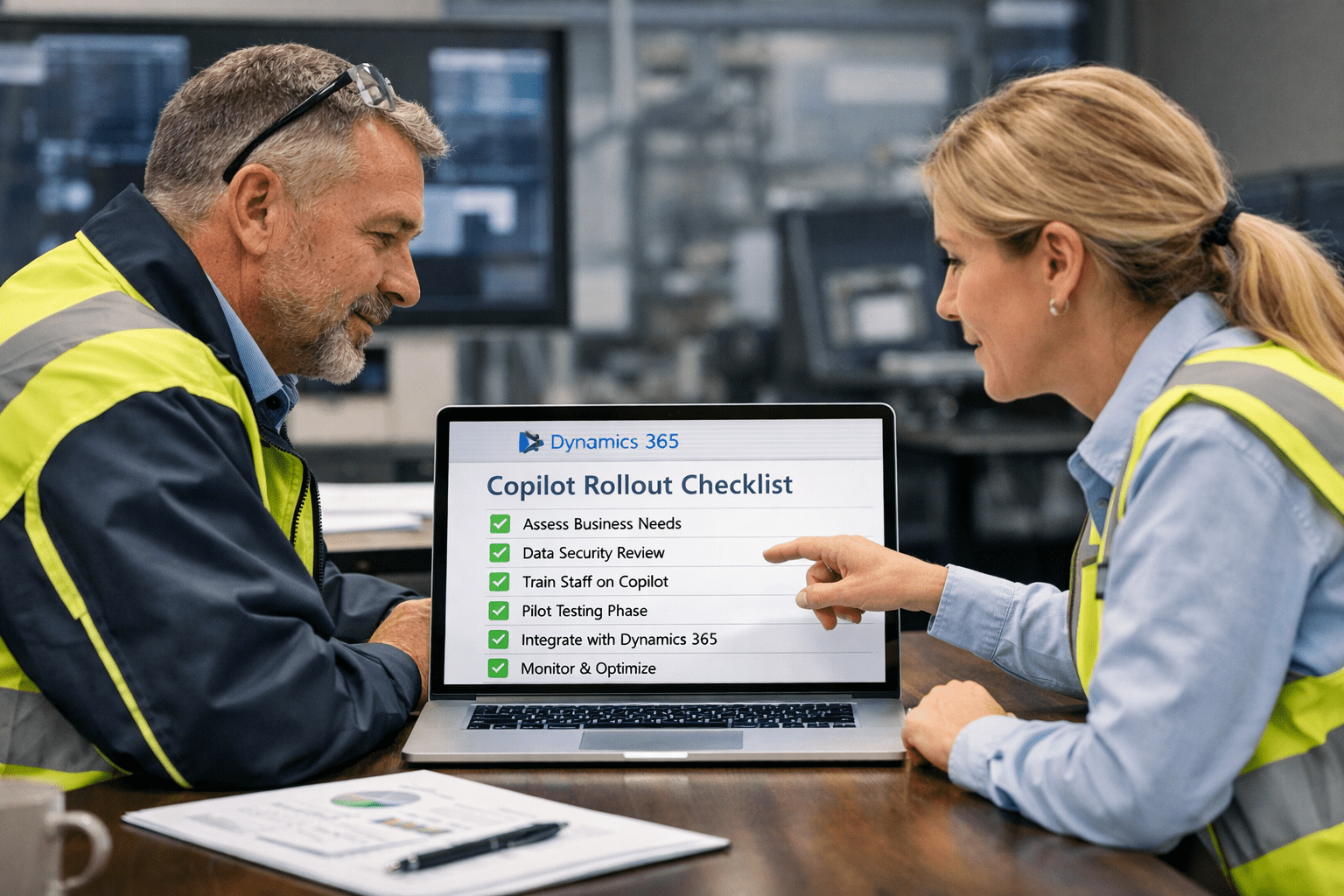
Understanding the technology is one thing. Making it work inside your organization requires a few additional steps.
Data quality matters. Copilot generates responses based on what is in your Dynamics 365 system. If your asset records are incomplete, or your work orders lack structured data, the AI responses will reflect those gaps. Before expecting AI to deliver useful outputs, organizations should audit their core data quality.
User adoption requires change management. Copilot works best when teams actually use it. However, without structured training and clear use-case guidance, staff may default to old habits. A focused rollout plan — starting with one module or one team — typically produces better adoption results than a broad deployment.
Licensing affects access. Not all Copilot features are included in base Dynamics 365 licenses. Some capabilities require Microsoft 365 Copilot licenses or specific Dynamics 365 add-ons. Organizations should review their current agreements and identify any gaps before planning a rollout.
Summary: What Utility Leaders Should Do Next
Microsoft Copilot for Dynamics 365 is not a future roadmap item. It is available now, and the 2026 Wave 1 release rolling out between April and September – adds further depth across finance, field service, and operations.
For utility organizations that are already on Dynamics 365, the practical next step is reviewing which Copilot features are active in your current environment and identifying the highest-value use cases for your teams.
For organizations still on legacy ERP platforms, the capability gap is growing. Each Microsoft release wave adds AI features that legacy systems cannot replicate. The decision to move to a modern cloud ERP becomes more consequential with each passing quarter.
If your team wants to explore what Copilot capabilities are available within your current Olix365 environment, or if you are evaluating a platform migration, our team can walk through what applies to your organization specifically.
Common Questions from Utility Leaders
Does Copilot work with our existing Dynamics 365 data?
Yes. Copilot connects directly to your live Dynamics 365 environment. It reads the data already in your system — it does not require a separate data migration or integration project.
Is this secure for utility operations data?
Microsoft builds Copilot under its responsible AI framework, with enterprise-grade security, identity management through Microsoft Entra, and compliance with data protection standards. Your data does not leave your Microsoft tenant. Utility organizations in regulated environments should review Microsoft's published data residency and compliance documentation for their specific region.
How is this different from a standard BI or reporting tool?
Traditional reporting tools require someone to build a query, run a report, and interpret the output. Copilot allows any team member — not just analysts — to ask a plain-language question and get an immediate, contextual answer from live data. It also suggests actions, not just information.
Can Copilot work across Olix365 modules like Procurement and Asset Management?
Yes. Because Olix365 is built on Dynamics 365 Finance and Operations, Copilot capabilities apply across the modules your team uses — including procurement, asset management, project operations, and HR. Specific features vary by module and license tier.